Gather what you need
| Why | |
|---|---|
| A microSD card, 1 GB or more (4 to 32 GB is typical) | the firmware lives on it. Use a new card and keep the one in the board as it is: going back is then a card swap |
| A card reader | to write the card |
| A mains USB charger | the board has two USB-C sockets; one goes to the charger. On a laptop's USB power alone the board can hang |
| A USB-C cable to your PC | the other socket: network at 192.168.2.1, and a console |
| A 20 dB attenuator, before any transmit port is cabled to a receive port | the transmitter reaches about +19 dBm; the receiver survives +2.5 dBm |
| A PC | Linux for the devkit; Windows 10 or 11 can write the card with nothing installed |
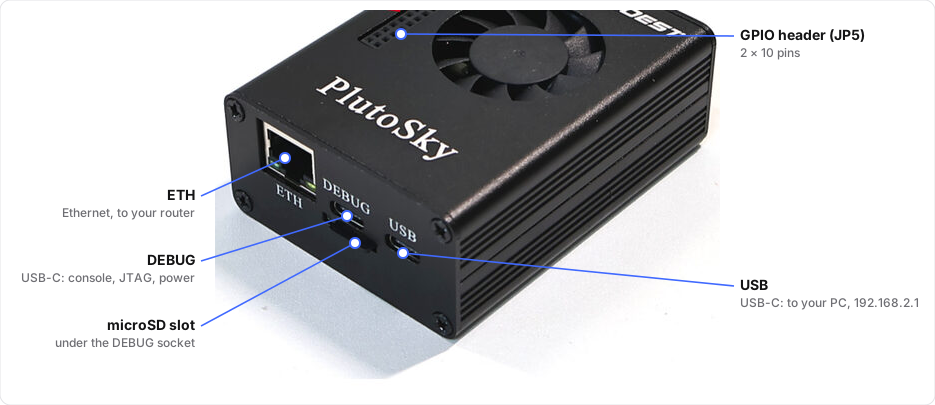
Where the card and the cables go.
Before anything transmits
Read before you transmit. Four rules, one page.
Next: put the firmware on a card.