Put it on the board
# run from: the repo root
./devkit flash              # BOOT.bin + uImage
./devkit flash --boot-only  # BOOT.bin only: an HDL or bitstream change
./devkit flash --kernel-only
./devkit flash --dtb-only
It backs up the current files, checks the md5 of each new file on the board
before swapping it in, unmounts cleanly and reboots (about 40 seconds). The
previous files stay on the card as *.prev and on your disk in
firmware/.flash-backups/<stamp>/.
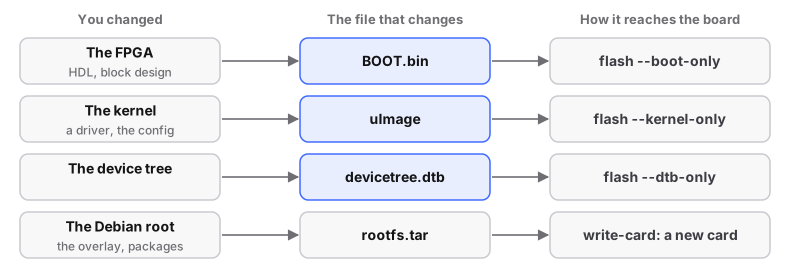
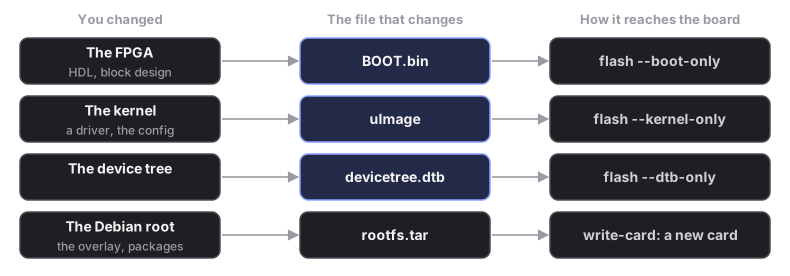
The Debian root cannot be flashed over the network: write a new card (rebuild the Debian root).
You should see: ./devkit verify --board report the card matches your build.
Never flash with DFU
It has bricked units of this board, and it cannot replace BOOT.bin at all.
The new kernel does not boot?
Put the .prev file back from a card reader. One that boots but misbehaves:
another --kernel-only. Every option, including JTAG and a second card:
flashing reference.