Watch a sweep live
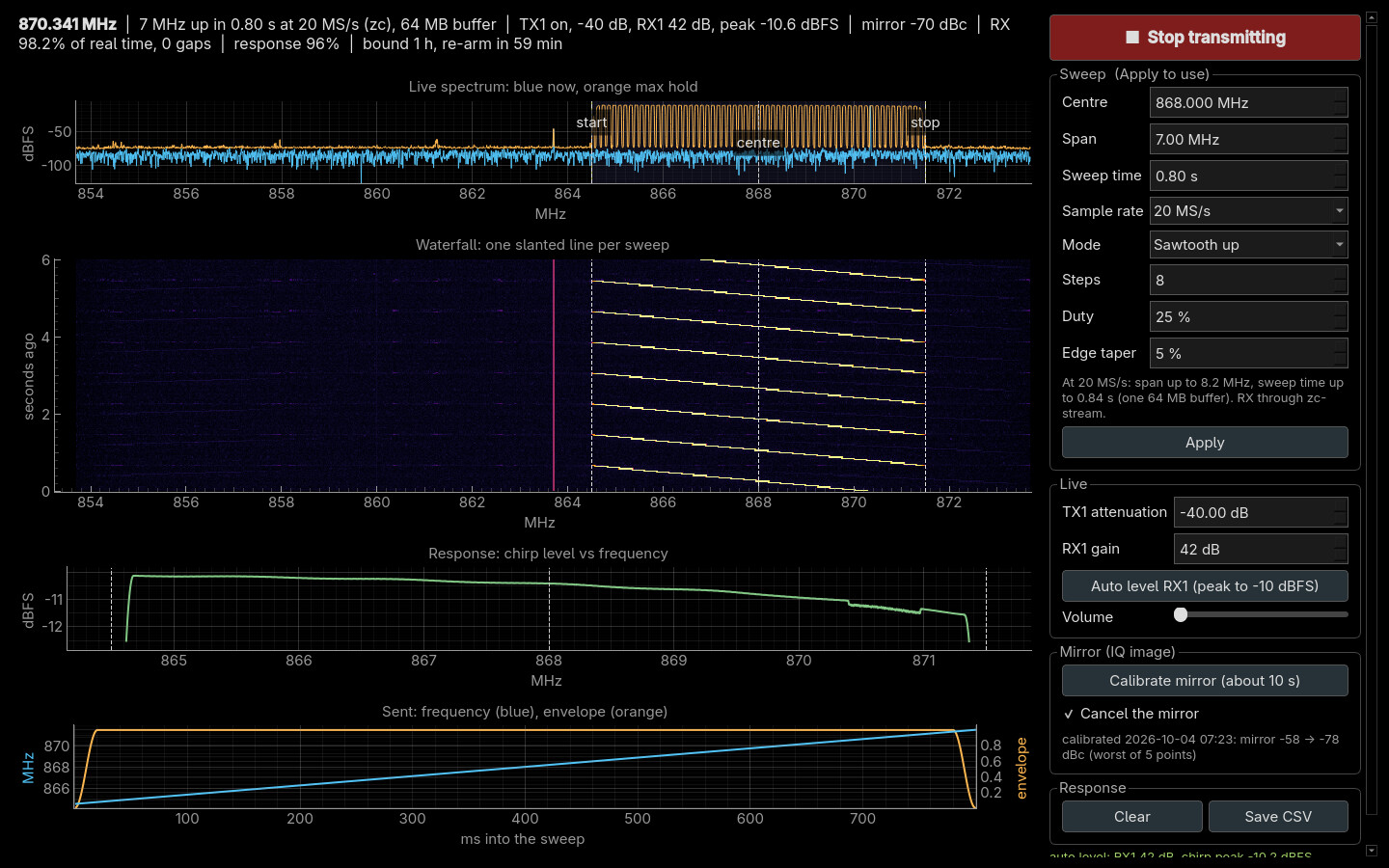
chirp-view makes TX1 play a sweep from a cyclic buffer and shows RX1
receiving it: live spectrum, waterfall, the loop's response, and the sound.
It transmits: read before you transmit first
TX1 must reach RX1 through at least 20 dB of attenuation. The board puts out about +19 dBm and RX1 survives +2.5 dBm.
| You need | |
|---|---|
| TX1 → 20 dB attenuator → RX1 | never without one: the board puts out about +19 dBm and RX1 survives +2.5 dBm |
| the board on Ethernet, the Debian root | |
zc-stream on the board |
for the default 20 MS/s (how); without it, --rate 4.8e6 --span 1e6 --period 3 |
| no other program receiving | the board has one receive buffer |
# run from: tools/chirp-view on your PC
python3 -m venv .venv
.venv/bin/pip install -r requirements.txt
.venv/bin/python chirp_view.py --fullscreen
You should see: a 7 MHz up-sweep from 864.5 to 871.5 MHz every 0.8 s, one slanted line per sweep in the waterfall. It sets RX1's gain by itself within a couple of seconds. Esc or Q quits, muting TX1 first.
| Also | |
|---|---|
--channel 2 |
the same on TX2 → pad → RX2, TX1 muted |
| Pulsed chirp mode | radar-style pulse compression: 123 ns peak (theory 127 ns) for 7 MHz × 100 µs pulses |
--reference loops |
ranging timed against RX2, so lost samples cannot move it; at most 5.5 MS/s |


The modes, the controls, the mirror and ranging: chirp-view.