Watch a band in SDR++
Stock SDR++ plays an FM station from the board over the USB cable, on any OS.
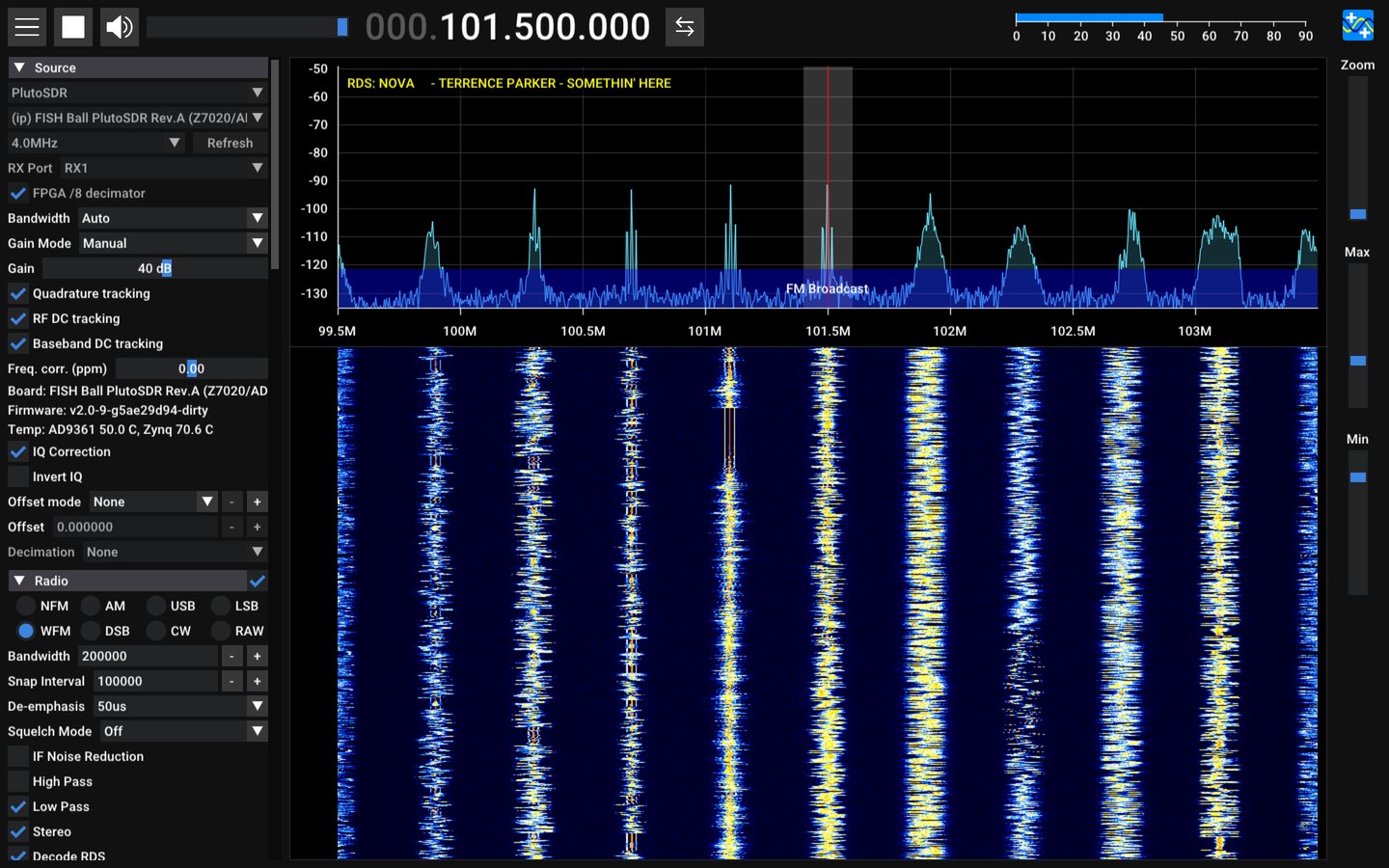
- Install SDR++ from sdrpp.org or your distribution.
- Connect the board's USB 2.0 socket and power it from a mains charger.
After about 40 s it answers at
192.168.2.1. - Start SDR++. Under Source, choose PlutoSDR, press Refresh, and
pick the device named
FISH Ball PlutoSDR Rev.A (Z7020/AD9361). - Set the sample rate to 2.0 MHz, Bandwidth to Auto, Gain Mode to Manual and Gain to about 40 dB.
- Under Radio, choose WFM. Type a station's frequency in the box at the top (101.5 MHz in the picture) and press play.
You should see: FM stations in the spectrum and waterfall, and hear the one you tuned.
| Good to know | |
|---|---|
| USB carries | about 20 MB/s = 5 MS/s; above that whole blocks are lost, with no error anywhere |
| stock SDR++ | receives on RX1 only, and never transmits |
| one program at a time | the board has one receive buffer |
No device, streaks, or clicks?
| symptom | cause and fix |
|---|---|
| no PlutoSDR device after Refresh | the board is not answering on USB; ./devkit status says why |
| streaks across the waterfall, clicks in the audio | samples lost: the rate is above what USB carries, or another program is streaming from the board |
| stations sit slightly off their frequency | set Freq. corr. (ppm) from ./devkit clock measure |
More: install the patched SDR++ for RX2 and the decimator, stream 20 MS/s to SDR++, listen to DAB+ radio, and every setting on the SDR++ page.