Build with Vivado in a container
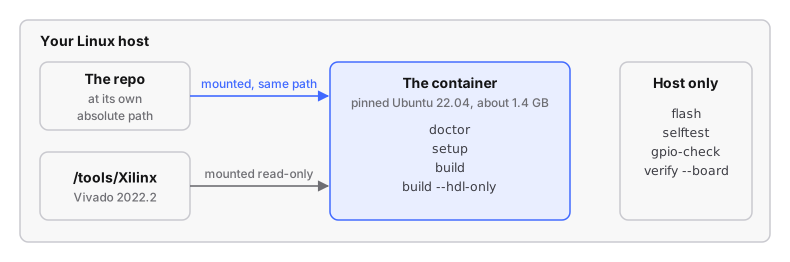
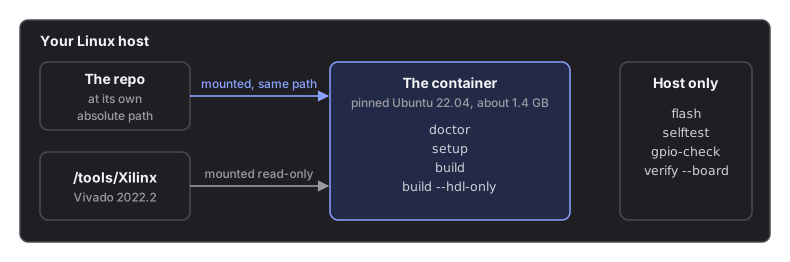
Vivado 2022.2 runs only on Ubuntu 18.04 to 22.04. ./devkit container runs the
build in a pinned Ubuntu 22.04 container, so your distribution does not matter,
and the BOOT.bin comes out byte-identical to a host build. This is the
recommended way to build the FPGA.
# run from: the repo root
./devkit container build-image                       # once, ~3 min
./devkit container doctor --target factory           # the same checks as ./devkit doctor, inside
./devkit container setup --target factory            # clone upstream source + apply patches   (~5 min)
./devkit container build --target factory            # everything                           (45-90 min)

# after that first full build, the fast loop for an HDL change:
./devkit container build --target factory --hdl-only #                                       (~20 min)
Build in the container; flash from the host: flash, selftest,
gpio-check and verify --board are host commands.
No Vivado installed yet? Install Vivado 2022.2 first: the container runs the installer too. Budget an hour.
What is in the image, why the output matches a host build, and other operating systems: building in a container.
Next: check the build.